Showing posts with label fieldscapes. Show all posts

5 December 2018

AHRC Showcase Event and Virtual Avebury Posters


One Tuesday we were up at the AHRC Showcase in York where most of the projects funded under the AHRC Partnerships for Next Generation Immersive Experiences were presenting on what they had done, and most also had live demos. There was a really good range from "hard" heritage projects like our to far more arts/performance driven work. Ones that particularly caught our eye included:


  • Using 360 video to capture circus acrobats and then "relive" the experience
  • "User Not Found" a drama piece by Dante or Die performed with mobile phone chat interaction about the digital traces we leave and what happens to them after death - plays nicely into our work on Digital Immortality
  • AR work to position old buildings in the right place by having users align a 3D model of existing buildings with the real thing
  • Field scale AR, rezzing an entire roman forum
  • Using laser scanning to capture artworks - but then, in this case, have a fire unfortunately destroy the artworks (pieces in the Mackintosh Museum/Arts School) so that digital form becomes the objects digital immortality and which is then used to spawn AR, VR and 3D printed versions

Prof Liz Falconer presented our project with them, National Trust and Satsymph on Virtual Avebury.


The presentation and demo were very well received, we probably had one of the bigger sample sizes (1000+ all told) and more rigorous assessment methodologies. In the demo area it was great to see funders getting down all all-fours to look at the virtual artefacts lying in the bottom of the henge ditch!


And here are the posters we used that summarise the work and findings of the project.


9 October 2018

World Space Day at The Hive

(photo - Worcester News)

David and Nash took Fieldscapes along to the World Space Day event being held at the Hive in Worcester on the 6th October. This is now the largest free space event in the UK, with over 40 stands covering everything from the Institute of Physics and local Astronomical Societies to Matt Irvin's wonderful TV space and SF models (including the original K9) and bits of Britain's only space rocket - the Blue Arrow.

Jupiter from Io

For the event we created two space experiences - standing on Phobos and seeing Mars, and standing on Io and seeing Jupiter. We chose these as we though the sheer size of each planet hanging above you would give a real "wow" moment, and the two moons have a very different look and feel.

A visitor exploring Phobos with a good view of Mars

We weren't disappointed in the reaction. As people turned and saw the planets (particularly Mars which fills about 1/3rd - 1/2th of your vision) there were audible gasps. Indeed one young user instantly flinched, looked away and refused to look behind her again! Another young VR-naut kept playing peek-a-boo with his parents and loved the fact that with the headset on he was on his own out in outer-space, but when he lifted the headset off his parents were standing right in front of him.


We were in constant demand from opening time til after closing time, and often has a queue of 2 or 3 families waiting. We also had several people come back for multiple goes and to take the time to walk around each moon's surface a bit more.

All in all a great day to educate people about VR and give parents the chance to think about what this might mean for education and training and their jobs.

The star attraction for many people of a certain age!


We'll post the environments up onto Fieldscapes so that anyone can give them a try.


5 September 2018

Virtual Avebury drawing to a close


(image posted on Facebook - https://www.facebook.com/photo.php?fbid=10213810222462658&set=p.10213810222462658&type=3&theater by Brett Cullen)


The run of Virtual Avebury has now come to an end, although we are doing a bit of direct remote public access to the VR experience - more details to follow.

There have been over 100,000 views of the video of Avebury in Fieldscapes on the National Trust Avebury Facebook page, and well over 500 physical users of the VR experience on site, and even some fan-art!


There were two VR rigs on-site so users could go in and see each other and follow each other round. The kids visit with their parents during the school holidays just loved this, playing virtual tag between the stones. And then whey they discovered that you could fly as well!

Liz and the team from Bournemouth University are now writing the project up and we'll share the results with you as soon as we can.

3 September 2018

Fieldscapes is off to the West Midlands BIS Space Day


In support of World Space Week Daden is taking Fieldscapes to the British Interplanetary Society (BIS) West Midlands Space Day in Worcester on 6 Oct. We'll have our existing Apollo 11, Mars Exploration and Solar System experiences and hopefully a few new ones.

Details at https://www.bis-space.com/2018/01/16/20116/space-day-2018 and https://www.facebook.com/events/657550341300272/?active_tab=discussion.


Hopefully see you there!

19 July 2018

Virtual Avebury in the News


We're getting some good coverage of our Virtual Avebury project with the National Trust, Birmingham University and Satsymph (and funded by AHRC and EPSRC):

BBC Wiltshire (46min in) :  https://www.bbc.co.uk/programmes/p06bt1rq#play

"I've been visiting Avebury for 50 odd years this will change my whole perspective - it's extraordinary"

"I'll never look at Avebury again the same way"

"I feel I know Avebury really really well .. it's certainly told me something about Avebury I didn't know."

"Without the buildings you get a real sense of scale, the physical size of it compared to the human frame, they must have felt so tiny"

"It [i.e. the modern environment cluttered by the buildings]  doesn't have the emotional power of what I just saw transmitted to me"


Marlborough News: http://www.marlboroughnewsonline.co.uk/news/7829-virtual-reality-offers-a-new-perspective-on-avebury

There's also a good description of the project on the National Trust web site at https://www.nationaltrust.org.uk/avebury/features/experience-a-virtual-reality-avebury.

There is also some really good data about immersion and the use of immersive 3D/VR to support heritage experiences coming out of the public engagement research which we'll report on later.


1 March 2018

Using the Web Browser in Fieldscapes 1.5


As mentioned earlier Fieldscapes 1.5 now lets you create a web-browser within an exercise so tutors and students can access web resources such as videos, wikipedia, VLEs and even 3D content!

We've produced two videos to help you use it. The first just gives you an idea of what it can do (and we missed out displaying it in a pop-up!)


The second shows you how to configure it within an exercise and set up props to control it. Note that the last couple of minutes of this video (from when it starts showing Google Sheets) is the same as the first video.


Watch out for videos on other new v1.5 features.

21 February 2018

How to make your training more engaging


Ever had the feeling your employees just aren’t motivated by your learning and development programme?
We’ve all been to boring training sessions where the speaker’s droned on for hours on end and it’s taken every ounce of willpower you have not to fall asleep (but hey, at least there’s usually a free lunch). Training like this fails to engage trainees, meaning that information may not be retained or understood.
This is especially problematic when the subject matter is something they really need to know. What if failure to recall the information when they need it results in a serious mistake being made? The risk of such a situation arising can be significantly reduced by making sure your training is as engaging as possible to maximise the chances of it sinking in.
As well as improving information retention and recall, more engaging training helps employees to fully get to grip with the subject the first time around. This means they’re less likely to have to go through the same course repeatedly, thus reducing training costs as well as the loss of productivity incurred by their downtime.
More engaging training is also likely to be more enjoyable, resulting in happier employees - and what’s not to like about that?
Here are some ideas to help make you training more engaging.

Make it interactive


There are few people who can stand to be talked at for several hours without zoning out. One sure way to increase engagement is to make the session interactive. Whether that’s by coming up with activities to help trainees participate or by using tools or props to incorporate an element of ‘learning by doing’, interaction should be more than just a five-minute Q&A session at the end of a day-long course.

Go immersive


Technology has advanced enough that training sessions don’t have to stay in the classroom - even if the participants don’t physically leave the room. Immersive training applications like Trainingscapes create simulated environments and scenarios that allow trainees to gain hands-on experience in a relevant and practical way. These tools provide more spatial, visual, and audio cues as well as environmental and emotional context, so trainees are more prepared for when they have to carry out tasks in the real world.

Group activities


Learning as a group can be more effective than solo training because everyone brings their own skills to the exercise, allowing people to contribute in different ways depending on where their strengths lie. Group activities during training are often more representative of the real world, especially if teamwork is core to a trainee’s job role; incorporating such tasks into training therefore also gives people the chance to work on their interpersonal, team, and cross-cultural skills.

Gamification


The practice of applying game-playing elements to learning and training has been shown to improve motivation, indicating that trainees may learn more by completing reward-based assessments than by simply being lectured. There’s a tremendous positive boost that comes from ticking off a task or achieving an objective, and this psychology can be harnessed to create more engaging courses that motivate trainees to progress. 

Practice


The vast majority of employee training sessions are delivered for a few hours, then the trainees are sent on their way. This seems to be contrary with the way we’re taught at school - practice makes perfect, remember? There’s plenty of scientific evidence to support the notion that we are better able to recall skills we’ve spent time practicing, so why should training in the workplace be any different? Utilising a training method that can also be used for repeated practice will help trainees retain the information better, and they’ll feel more confident in their own ability when they need to call upon the same skills in the real world.

Step out of the classroom


In order to increase trainee engagement, it’s important to think outside the box - the most effective training is unlikely to take the form of a dull classroom-based lecture. By considering what your trainees need to achieve and the skills they need to learn, you can choose a solution that maximises motivation and information uptake while minimising risk.


To see how we’ve helped organisations provide more engaging training with Trainingscapes, take a look at some of our case studies.

20 February 2018

Working with Bournemouth University to build Virtual Avebury Henge and Stone Circle

Checking out the import of the stone meshes


Hot on the heels of our virtual midwifery project at Bournemouth University we're now using Fieldscapes with them on a new heritage research and education project.

Visitors will be able to walk virtually through the ancient Avebury Henge and stone circle, part of the Avebury and Stonehenge World Heritage Site, and experience the sights and sounds of the location as it would have been in the Neolithic period – and well before much of the site was destroyed by the building of Avebury village – thanks to the new experience we're creating with Bournemouth University. The project has been made possible through the Arts and Humanities Research Council’s Next Generation of Immersive Experiences programme. The work involves a collaboration between educators and archaeologists at Bournemouth University, sound specialists Satsymph, the National Trust and ourselves.

The main aim of this project is to bring together researchers in archaeology and virtual environment evaluation with creative partners in immersive technologies, virtual soundscapes and heritage management to develop methods of effective, innovative and fruitful working. In addition, the project aims to develop and explore the potential of virtual historical places to increase engagement with, and understanding of, the development of human cultures through a sense of virtual place.

The project builds on work already done by Professor Liz  Falconer on building a prototype 3D simulation  of the Avebury complex. The new experience is being built with using Fieldscapes, Daden’s platform for immersive learning and training. A key feature of Fieldscapes is that subject matter experts are able to create lessons and experiences from existing 3D assets without the need for any programming skills.


The Avebury complex in North Wiltshire is one of the greatest treasures of prehistoric Britain. Built during the Neolithic period around 4500 years ago, the central monument comprises  a circular bank and ditch approximately 1 kilometre in circumference, encircling an area that includes 3 ancient stone circles, and part of the more recent Avebury village. The central monument sits in a large ritual landscape that includes avenues, burial mounds and the world-famous Silbury Hill. Avebury is  part of the Stonehenge and Avebury World Heritage Site.

By creating the model in Fieldscapes the team will be able to more accurately create the real-world terrain, generate better textured stones, make more use of audio, allow researchers to customise and extend experiences without specialist help, and make the experience available on a wide range of devices including smartphones, tablets and virtual reality headsets.

Bournemouth University Professor and Project Lead Liz Falconer said “We are delighted to be working with Daden, Satsymph and the National Trust on this exciting project. We will shortly be launching a blog and website where we will post regular updates on the work, and give people the opportunity to immerse themselves in Late Neolithic Wiltshire!”

Daden MD, David Burden said – “We’re really pleased and honoured to be a part of this project. We’ve always known that immersive environments can have a significant impact on how we view and understand the past, and this is an ideal opportunity to put our thoughts into practice.”


The virtual experience will be available at Avebury Visitors Centre for the public to evaluate during the summer of 2018, and there will also be an evaluation of remote use for those unable to visit the site. It is hoped that the project will lead to the development of a fuller experience made permanently available to both the public and to schools, and then to the use of the technology for other heritage sites across the globe.

We'll keep you posted on progress as the project progresses.


15 February 2018

Fieldscapes 1.5 released: Web browsing, chatbots and more...


Today we released v1.5 of Fieldscapes. This has a load of new and important features designed to make immersive training and learning experiences even more flexible, rewarding and engaging, as well as a number of more minor fixes and changes.

The highlights are listed below. v1.5 is available on all our supported platforms (Windows, Mac, Android, iOS). Full release notes are available on the wiki.

Web Browsing


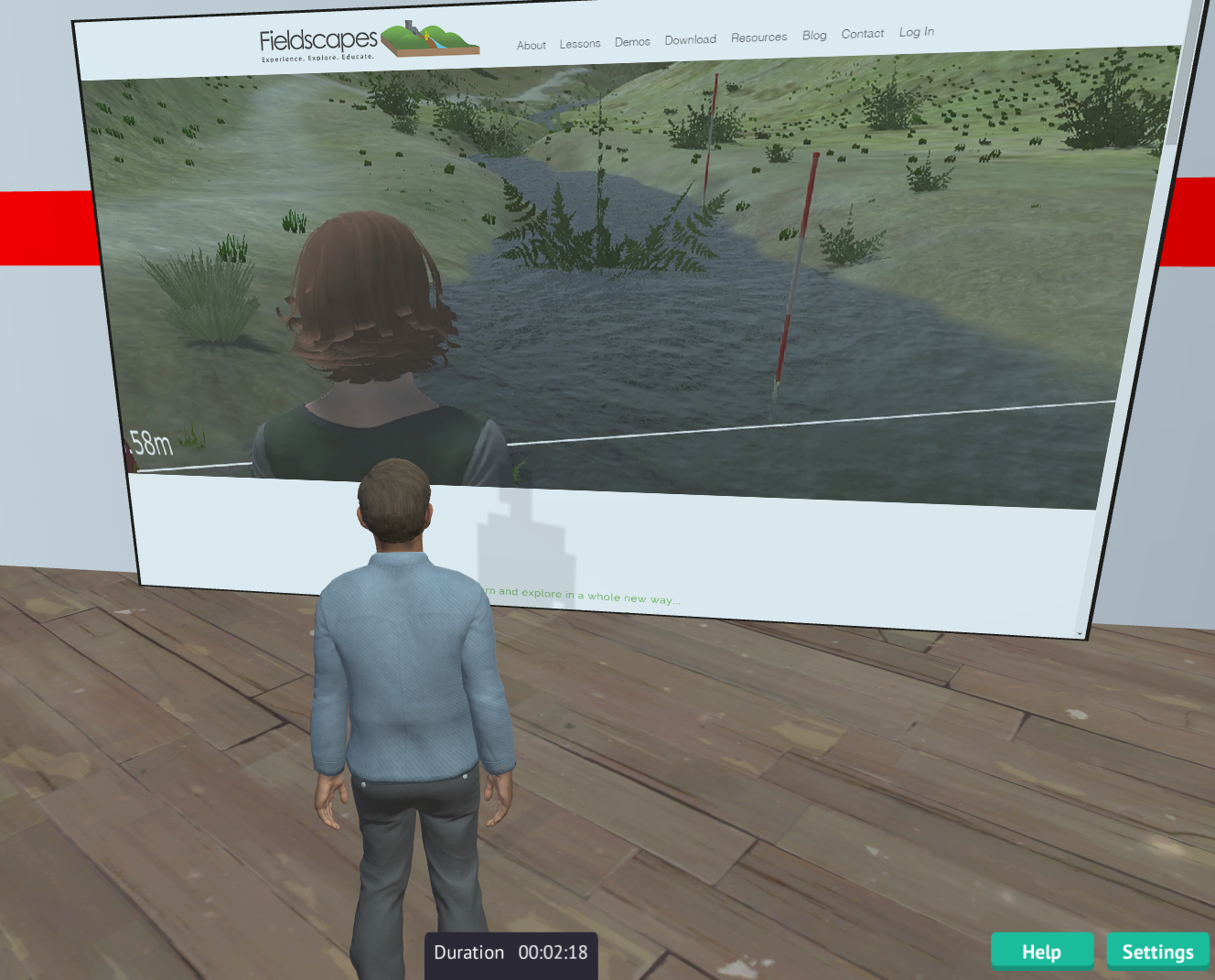
There are two new Flat Screen props in the default inventory set. Add the new Web Browser widget to these screens and they become fully capable in-world web browsers - able to view and navigate almost any web page, and even play videos! If you really want to blow your mind you can bring up a WebGL 3D environment in the browser and view it in 2D from a 3D world! You can also set the screen into multi-user mode so that all avatars in the same assignment will see the same thing - ideal for a spot of centralised learning or sharing during an exercise. The URL can be changed by a PIVOTE command from any other prop in an exercise. Future releases will allow almost any surface to become a web browser. Go to the Web Browser wiki page for more information.

Chatbot Integration


Chatbots are computer programmes that simulate natural language conversation. Fieldscapes now has a Chatbot widget which enables you to use the text-chat window to chat with a chatbot provided by an external service. We will be detailing the interface in due course so you can build your own chatbots to talk to the system, and maybe even interfaces to common platforms such as Pandorabots. We have also added a default Daden NPCs inventory with some sample avatars. Future releases will add animation and walking, but you can already use existing PIVOTE commands to teleport and move (glide) the Non-Player Characters you create.  Go to the Chatbot wiki page for more information.

Multi-User Widget


Fieldscapes initially operated in either solo mode (you only see yourself in an exercise) or a hybrid-multi-user mode (you see other people, but when they change something in the environment - eg pick up a rock - you don't see it, the rock is still there for you to pick up). With v1.5 you can now add a "multi-user widget" to any prop which makes that prop multi-user. That means there will only be one instance of the that within an exercise, no matter how many users, and if you move or otherwise change that prop then everyone else will see it move or change to. Implementing multi-user in this way means that you only make multi-user what needs to be multi-user, which massively saves on processing and communications. As well as enabling you to implement more realistic field trips (if you want to!) it also allows you to create more collaborative exercises and also to create multi-user games- check out our VR chess game! Go to the Multi-User Widget wiki page for more information.


New Avatars


We have added 6 new avatars and removed the worst of the older ones. Included in the new set is our first hijab wearing avatar (thanks Sharn!)!


Editor Improvements

Based on six months or so of using Fieldscapes in anger we have added two new features to the editor to help make exercise creation a bit easier:


  • Lock a prop in place so you can't accidentally move it
  • Change a prop for another one, which means you can lay out cubes initially, and then replce them once you have the proper 3D models you need

VR Improvements


Started in 1.4.4 but finished in 1.5 we have now completely overhauled the VR UI to make VR use easier.


Enjoy the new features and do let us know how you get on!

8 December 2017

Automating Camera Directing in Fieldscapes

Fieldscapes has the potential to be a very flexible platform when it comes to content creation, and when David was busy recording a video of it a potential use case for the application crossed my mind - would it be possible to direct a video within a Fieldscapes exercise by automating camera positioning? This would allow for a variety of uses, such as exercise flythroughs to video recordings, and that's why I decided to look into the idea for the last Daden U day.

Firstly I had to remind myself about the current capabilities of the cameras before I added any new functionality. I created a new exercise and added a new camera to it. On the camera panel, you can see some of the options we have for setting up the camera - we can rotate horizontally and vertically, as well as adjusting the field of view of the camera. There is the option to change to orthographic projection, but I wasn't going to be needing that.

Camera menu.
The first idea that came to mind was that being able to alter the field of view via PIVOTE actions would be very powerful. That feature isn't currently implemented but I put it on my list of potential improvements. The other idea that popped into my head was the ability to alter individual rotation axes via PIVOTE actions, to allow more subtle control of the camera than is currently available.

Now that I had looked at the camera set up options it was time to remind myself of what PIVOTE can do with the cameras. So I went to edit one of the default system nodes to see the available actions. As
]#u can see from the image below, it is very limited - you can only alter whether or not the camera is active. This would have to change drastically if I was to be able to do what I wanted to.

Old camera actions.
Automating the camera position and movement would require cameras be able to use some of the actions available to props, such as the ability to teleport to, or move to, the position of a prop or the ability to look at a prop within the environment. Some new actions would also nice, such as one to change the field of view as previously mentioned.

To help determine what actions I was needing I decided to choose an existing exercise in Fieldscapes and design a camera 'flythrough' of the exercise in the same way some video games would perform an overview of the level before the user begins. After much deliberation the exercise that I chose to use was the Apollo Explore exercise developed to allow users to walk about the moon and learn about the Apollo 11 moon landing. This exercise has props spread around the environment which makes it easy to define a path we want the camera, or cameras, to follow.

Intended camera positions are circled.
Mapping out the positions I wanted the cameras to be at during the flythrough was the first step I took. I decided on placing two extra cameras in the environment - one to be used to look at the user avatar and one to move around the props. This would give a nice fade to black and back when switching between them. I wanted to slowly pan around the user avatar at the start, followed by the camera showing each of the main pieces of equipment before ending on the lunar lander itself. After this, the exercise would start and the camera would go back to a third person view.

After plotting out all of the positions and directions I wanted the cameras to go to I decided on how I wanted to transition between the positions so that I could determine what actions I would require. As I wanted to smoothly pan the camera at the start around the avatar, the most obvious action I would require is one that would move the camera from one position to another over time. I added 3 actions to the cameras that are present in props that I felt were most useful - MoveTo, TeleportTo, and LookAt. To linearly interpolate from the current camera position to that of the arrow I placed that points to the avatar's head we would use the MoveTo command.

New camera actions.
I set up a timer that would trigger the camera facing the avatar to move to one of the arrows after 1 second had passed, and I would use the same timer to move the camera to other positions after more time had passed. Unfortunately this is where I hit a snag - there was a bug with the way the camera was trying to raycast to the ground when moving between positions, causing it to slowly move upwards into space forever. I ran out of time and had to head home before I managed to find the cause of the issue, so it was at this point where my experiment had to stop for the time being.

In conclusion, I do believe that if the breaking bug I discovered towards the end of the day can be fixed then there is a great chance that the ability to automatically move cameras will be functional within Fieldscapes. I'd also like to develop a PIVOTE action that could transition the field of view of the camera over time - perhaps then we will see a dolly zoom replicated in Fieldscapes!

Oops!


1 December 2017

Fieldscapes Exercise Visualiser - Daden U Day


For the Daden U day I decided to create what I call the Fieldscapes Exercise Visualizer. The aim of the visualizer is to create a graphical representation of a Fieldscapes exercise. The idea came about while creating a complex Fieldscapes exercise, I was struggling to quickly recall the structure of the exercise, the Props, Prop Commands and their relationship with Systems Nodes. Another reason for creating the visualizer was to have a way of explaining the flow of the exercise from begin to end. If it a non-linear exercise they different paths can also be illustrated.


Before beginning work on the visualizer I had a few ideas of how to illustrate the exercise using symbols and shapes. Fortunately I discovered a web application called draw.io whilst trying to created a flow diagram manually using pre existing tools. Initially I had attempted use Umlet which is windows application for drawing UML diagrams but decided against it. Reason being that a web application would be more accessible. As a web application I could integrate it into the Fieldscapes Content Manager reducing the number of tools content creators have to access to make full use of the Fieldscapes ecosystem.


Unfortunately draw.io does not have an API (Application Programming Interface). In my attempt to find a the API I discovered that it uses library called mxGraph. mxGraph is a JavaScript diagramming library that enables interactive graph and charting applications to be quickly created that run natively in most major browsers. mxGraph has a backend which supports the javascript application running on a server. This backend software can either use Java, C-Sharp(C#) or PHP. For the purpose of the U Day I used the C# backend as Fieldcapes is written in C#.


After downloading the source code for mxGraph from the Github repository. The source code contained an example C# .Net website. The solution worked right out of the box without an issues. Fortunately because of work done for the Fieldscapes Editor most of the code needed to read Fieldscapes exercises stored in XML was already written so all I needed to do was write a couple of functions that extracted the data I needed to represent the various elements of an exercise as geometry with connecting lines. Extracting the data was a breeze however progress grinded to a halt when I tried to draw different shapes to represent the various elements of an exercise such as props, system nodes etc. After some trial and error and lots of googling I managed to understand how to style the vertex which is the word used in mxGraph for the geometry that are draw on the canvas.


From what I saw of the documentation and my brief time using mxGraph, mxGraph is a powerful library that has many affordances for those who want to create diagrams of any nature. It allowed me to create a diagram(see image below) that showed all the different elements of a Fieldscapes exercise with line indicating their relationships with to each other. The next step create some form of structure for the diagram. Development on the Fieldscapes Exerciser Visualizer is not a priority at the moment but it something I intend to continue working on until it becomes more useful at which point it will be integrated into the Fieldscapes Content Manager.


2 November 2017

C# as a Scripting Language - and in Fieldscapes?

By: Iain Brazendale

Daden U days give me the opportunity to play with ideas that have been floating around at the back of my mind for some time and this Daden U day was no exception.

I’ve been reading good things about the changes Microsoft have been doing to their .NET complier platform “Roslyn” particularly with regards to adding scripting support. It was this combined with thoughts of how we could easily add additional functionality to Fieldscapes that made me decide it was time to take a deeper look at scripting.

The advantage of scripting provided through .NET compiler is that there’s no need to learn yet another scripting language, scripts are simply written in C# but with looser syntax requirements.


Following the article quickly gave me a rough working console application to do some testing with:


This example shows accessing an array containing the names of images for different days of the week. The third query to me shows the real power of the script – here the day of the week becomes the index into the images and returns the correct images for the day of the week (You guessed it – I ran this example on a Tuesday). The ability to show a different image for each day of the week is not something that is ever likely to be baked into Fieldscapes, however, adding scripting support allows this new functionality to be added with a single line of script.

This example below shows how picking of images at random can be achieved.


However, with great power comes great responsibility… if we let users add their own scripts then they could take advantage:


Here we can see that users may access functionality that wasn’t intended, in this case displaying inappropriate messages. Also of note, as you can see from my several attempts to get the syntax right (C# is case sensitive), it could be fiddly for people to write scripts without the use of a good IDE correcting those minor typos. These issues suggest that scripting is something that should initially be left to the “advanced” users and more thought and design will be needed before it becomes a “typical” user feature.

So, when will scripting be added Fieldscapes? Unfortunately, scripting requires .NET 4.6 and Roslyn. Unity still uses .NET 3.5 with a non-Roslyn compiler so as wonderful as this technology looks it won’t be a scripting solution for Fieldscapes until the tech catches up. However, it could be a useful technology for Daden’s other products such as Datascape.


9 October 2017

Fieldscapes 1.4 released


Fieldscapes v1.4 is now out and available for free download and had some good heavy user testing at Malvern recently with Year 7s from across the county. The main new features in v1.3 and v1.4 are:


  • The start of support for NPC characters through an NPC widget. You can now add an NPC avatar as a prop and have it TP from location to location and activate specific animations - eg "sit". Later releases will allow the NPC to glide or walk between locations. We are also close to releasing a "chatbot" widget to hook an NPC up to an external chatbot system so that you can really start to create virtual characters.
  • General improvements to the UI when in VR mode - users found that the "virtual iPAD" just got in the way so we're now putting the UI directly into the scene. We'll make steady improvements to the usability of the VR experience in future releases
  • Added a new Avatar command to change clothes. This only changes between preset outfits but is good if a character needs to change into special kit for a task - for instance our nursing avatars putting on gloves and aprons (see below)
  • Multiple choice questions are now randomised - makes the student think if they repeat the lesson!
  • Increased the inventory limit from 3 to 5 in the editor - so you can bring in props from more inventories for your scene
  • Increased the word count for multiple-choice panels and default popup panel

Various bug fixes were also made and you can see a full list at http://live.fieldscapesvr.com/Home/Download


v1.4 is already available for PC and Mac. The Android version of v1.4 is just under final testing, and we're also still progressing the iOS version of Fieldscapes through the App Store acceptance process.

Remember: We have an ongoing survey for new Fieldscapes features, please take 2-3 minutes to fill it out at: https://www.surveymonkey.co.uk/r/88YL39B

4 October 2017

Fieldscapes at the Malvern Festival of Innovation

Oculus Rift on the Moon

For the second year in a row we ran a set of workshops at the Malvern Festival of Innovation playing host to a succession of groups of 20-30 students (mostly year 7s) from around Worcestershire and giving them a 1 hour introduction to immersive learning. We set up four stands in order to show the range of experiences and lessons that can be created, and the different ways in which they can be delivered. We had:


  • One laptop running the Solar System lesson
  • One laptop running the Apollo Educate lesson
  • One laptop running the Introduction to Carding Mill (which several groups knew from Fieldtrips)
  • A couple of Google Cardboards, one with the Photosphere tour of Carding Mill and one the Apollo Explore lesson
  • Oculus Rift running Apollo Explore
Playing tag on the Moon!


Students were split into groups of about 5 and had 10 minutes on each "stand" - so everyone got to try all the kit.

Looking at the Waterspout Waterfall in a (plastic) Google Cardboard


Student feedback from comments and feedback forms included:
  • "I wish I could spend all afternoon here"
  • "Can I come back later?"
  • "It was really cool"
  • "It was fun to do"
  • "It was memorable"
  • "The realness of it"
  • "I liked the fact that we were not there but we could see everything"
  • "It was like it was real"
  • "It was educating and fun"
Exploring the Moon and Apollo on Google Cardboard


When talking to the teacher we were keen to highlight that:
  • They didn't have to buy any new hardware, like expensive VR headsets, as they can run lessons in 2D/3D mode on existing computers, or in VR on Google Cardboard (one teacher loaded the app onto his phone as we spoke)
  • They could create their own lessons, share them, and use (and customise) those producted by other users
  • With our licencing model they only started paying once they started using it in class, so they could explore and test for free until they were confident in the system and lessons and were ready to use it in class.
Even the teachers got in on the act!


Fieldscapes itself was rock solid on all the devices all day - despite getting a hammering from the kids. What was particularly impressive was when we had the Apollo experiences in multi-user mode so the kids could play tag on the moon - and even using the public wifi at the venue we had no issues with lag and avatar movement was very smooth.


All in all a great day and helped remind us all why we've built Fieldscapes!


28 September 2017

Fieldscapes and Midwifery Training at Bournemouth University


As you may have seen from our Fieldscapes Twitter stream we've just reached the delivery stage of our first Midwifery Fieldscapes lesson (on Urinalysis) for Bournemouth University's Midwifery training team. We had a number of meetings with the team over the summer and then went away and customised our existing Simple Clinic space into "Daden Community Hospital", and added more generic medical props, and also brought in some BU specific posters. Nash then created the first exercise based on an agreed flowchart/storyboard and now we're just getting to the end of the iterations with the team, stakeholders and students. The final step for us will be to train the BU team on how to use Fieldscapes to continue to maintain and develop the exercise (and create other exercises), before they then start their evaluation with the current student cohort.


Response so far from all involved has been excellent with comments such as:

  • "I had such a cool day at work recently – I got to play with the first of my VR healthcare education environments using Oculus Rift"
  • " I absolutely love this! A brilliant way to learn" - student feedback
  • "So amazing to see my project becoming a reality – I hope the students love this way of bridging the gap between classroom theory and clinical practice"
  • "That was brilliant loved it! can’t wait to do more. Very informative" - student feedback
  • "Delighted that the Oculus Rift dramatically altered the look and feel of the clinical room, and that the handheld Haptic feedback controls added to the experience"


Being Fieldscapes the exercise can be experiences on a PC/Mac or Android device, and in VR on Oculus Rift or Google Cardboard on Android. One of our final tasks is integrating one of the £2-£3 hand controllers for the Cardboard go go along with the c.£15-£20 VR-BOX headsets that BU have (VR doesn't have to be expensive!).


We'll keep you posted as developments and evaluation progress and we're already talking to BU about other exciting way to take the training.


You can read more about the BU view on the project on their blog posts at: